 A Letter Worth Reading
Write · 3 min read
Writing subject lines and preview text
The subject line is a small promise about what is inside. Keep it plain and true, use the preview text well, and skip the tricks that cost you trust.
A subject line has one job: to tell the right people why this letter is worth their time.
The short version
- Readers see three things before they open: your name, the subject line and the preview text.
- Make the subject line say what is inside. Clear beats clever.
- Use the preview text to add something, not to repeat.
- Never trick people. It breaks trust, and in some places it breaks the law.
What readers see first
Picture a busy inbox. Your letter sits in a long list. Before anyone opens it, they see three things.
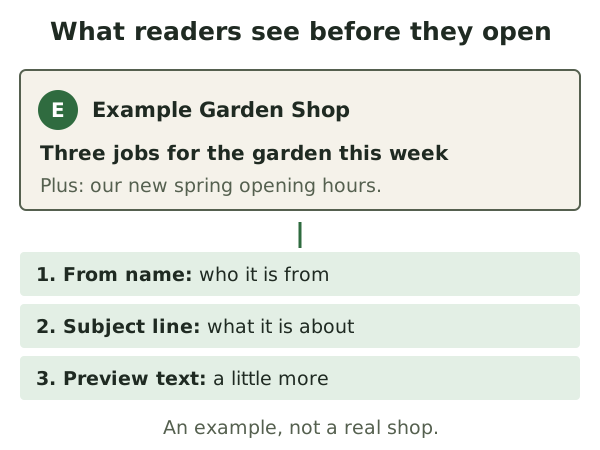
- The from name is who the email is from.
- The subject line is the title of the email.
- The preview text is a short line shown after the subject.
Together, these decide whether your letter gets opened, saved for later or deleted. That is a lot of work for a few words.
Your name comes first
People open mail from names they know and like. So use the same from name every time. Use your business name, or a person's name plus the business.
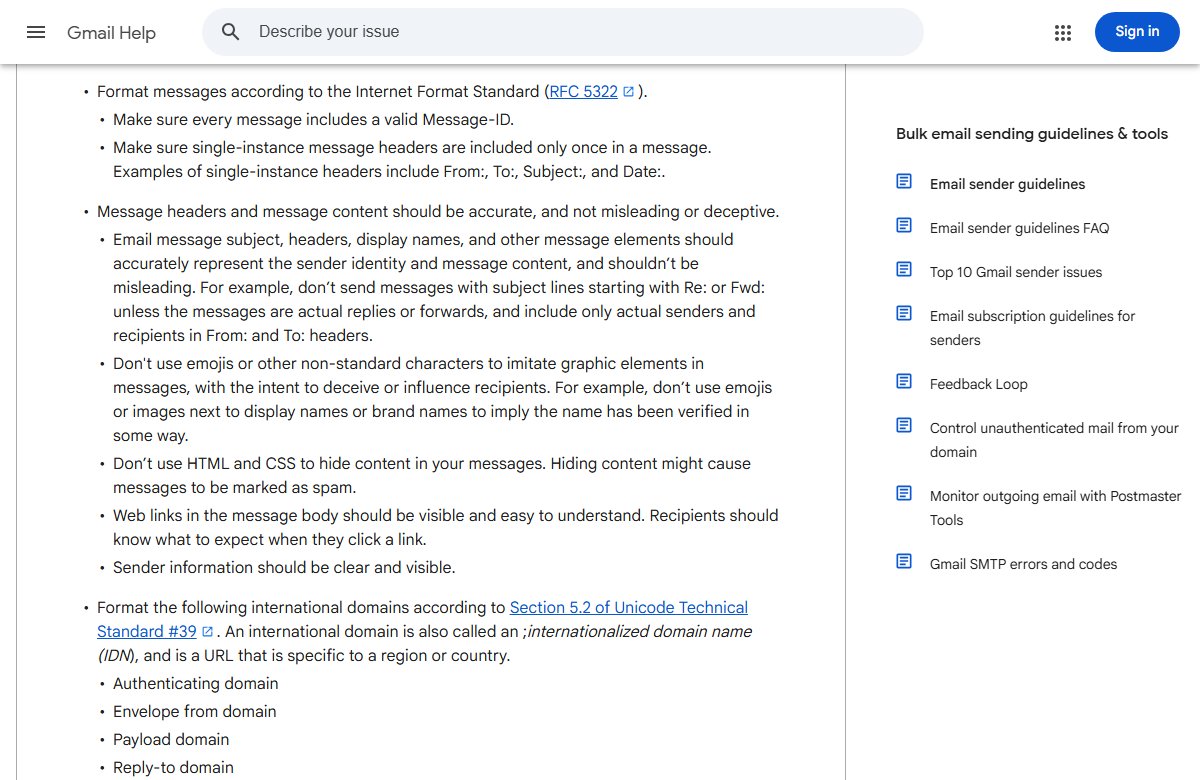
Gmail asks for display names that state who the sender is, clearly and the same way each time.[1] It also says the name should not carry the subject or message.[1] So "URGENT REQUEST" is out as a name.[1]
Clear beats clever
A good subject line tells readers what they will get. Plain words do this best.
Compare two lines for the same issue:
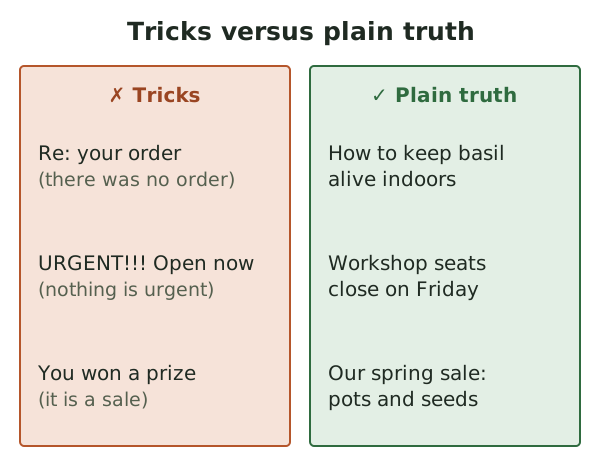
- "You won't believe what we found" tells readers nothing.
- "How to keep basil alive indoors" tells them exactly what is inside.
The second one may look dull. But the right readers will open it, and they won't feel let down. We'd take that over a burst of curious clicks and a pile of unsubscribes.
Some simple habits help:
- Put the most useful words first. Phones cut long lines short.
- Name the topic, not the mood. "Spring opening hours" beats "Big news!"
- Keep the same style each issue, so readers spot you.
Honest is the law, too
In the US, a subject line must not mislead. The FTC says it must accurately reflect what is in the message.[2] Wikipedia's summary of the law lists subject lines that are relevant and not deceptive.[3]
Gmail's rules go further. Subject lines, names and other parts should truly show who sent it and what is inside.[1] It also says not to start a subject with "Re:" or "Fwd:" unless the email really is a reply or a forward.[1]
So here are some tricks to avoid, with a better way for each.
Preview text
Preview text is the short line after the subject in the inbox. It is often pulled from the first line of the email.[4] Some people call it the preheader.
If you don't set it, the inbox picks something itself. That might be image descriptions or your menu links.[4] So you may get "View in browser | Shop | About" instead of a real sentence.
Most email tools let you write the preview text yourself. Use it to add a second reason to open.
- Subject: "How to keep basil alive indoors"
- Preview text: "Plus: our new spring opening hours."
The subject gives the main piece. The preview gives a bonus. They work as a pair, and neither repeats the other.
Skip the spammy look
Some habits make honest mail look like junk. They also make readers wary.
- Shouting. Lots of capitals and exclamation marks feel like a sales pitch.
- Fake urgency. If nothing ends on Friday, don't say it does.
- Emoji tricks. Gmail warns against emoji that copy graphics to deceive or sway readers.[1]
None of this means you must be dull. A warm, plain subject line in your own voice is enough.
What to do next
Write five subject lines for your next issue. Cross out any that promise more than the issue gives. Then pick the clearest one and write a preview line to match.
Next, learn how to grow your list the right way in Building a list with consent.
Sources
- Email sender guidelines, Google (Gmail Help) (accessed 2026-10-18)
- CAN-SPAM Act: A Compliance Guide for Business, US Federal Trade Commission (accessed 2026-10-18)
- CAN-SPAM Act of 2003, Wikipedia (accessed 2026-10-18)
- How to insert preview text into an email, Klaviyo Help Center (accessed 2026-10-18)